
The scope gets retyped
Client and estimate context is copied into another record, creating another chance for details to drift.
Jobs
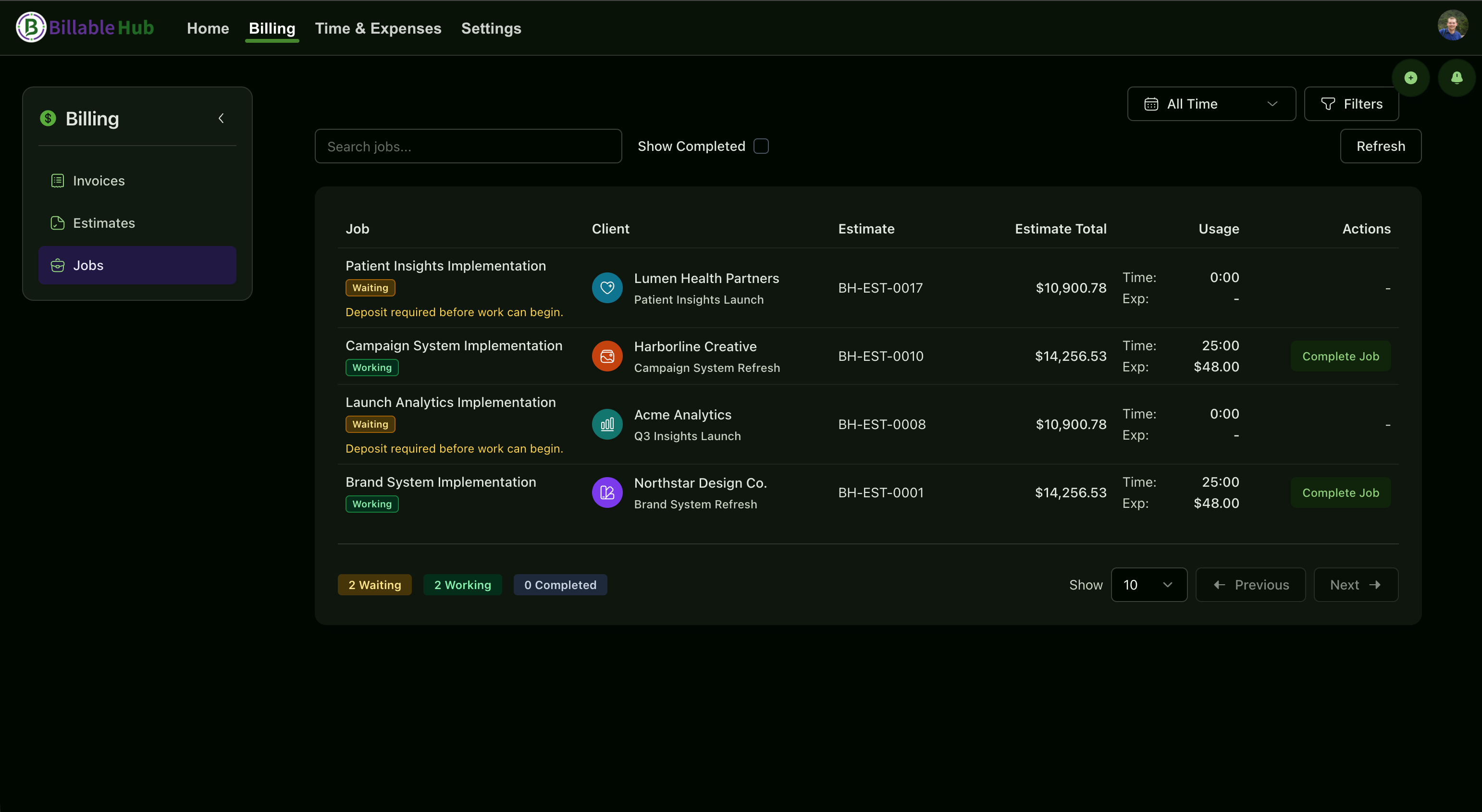
Jobs carry accepted work into delivery. Time and expenses stay attached as the engagement progresses, and completing the Job generates the invoice—so billing becomes the last step of the work instead of a separate reconstruction project.
Accepted estimate
Create the Job and carry the context forward
Track time and expenses against the same piece of client work, then generate the invoice when the Job is complete.
The hidden second project
When the estimate, time entries, receipts, extra charges, and final invoice are separate chores, someone has to rebuild the commercial story after delivery—usually when their attention has already moved to the next client.
Client and estimate context is copied into another record, creating another chance for details to drift.
A receipt in a message or download folder is easy to forget when billing happens days after the work.
The later an entry is created, the harder it is to remember which client, service, or approved work it belonged to.
A cleaner Friday afternoon
A consultant closes the Job after the final client session. The estimate already established the engagement, the team recorded time against the Job, and a travel receipt is already attached as an expense. Instead of opening a blank invoice and reconstructing three weeks of work, the billing record is ready to move forward.
The payoff is fewer handoffs, less re-entry, and a smaller gap between completing the work and billing for it.
How it works
Jobs connect stages that are usually handled as separate administrative tasks. Another way to think of jobs is a more focused lens on a client or project that keeps your invoicable work consolidated.
The client decision and approved commercial context remain attached to the work that follows.
Create a Job automatically from the accepted estimate and optionally wait for the required deposit.
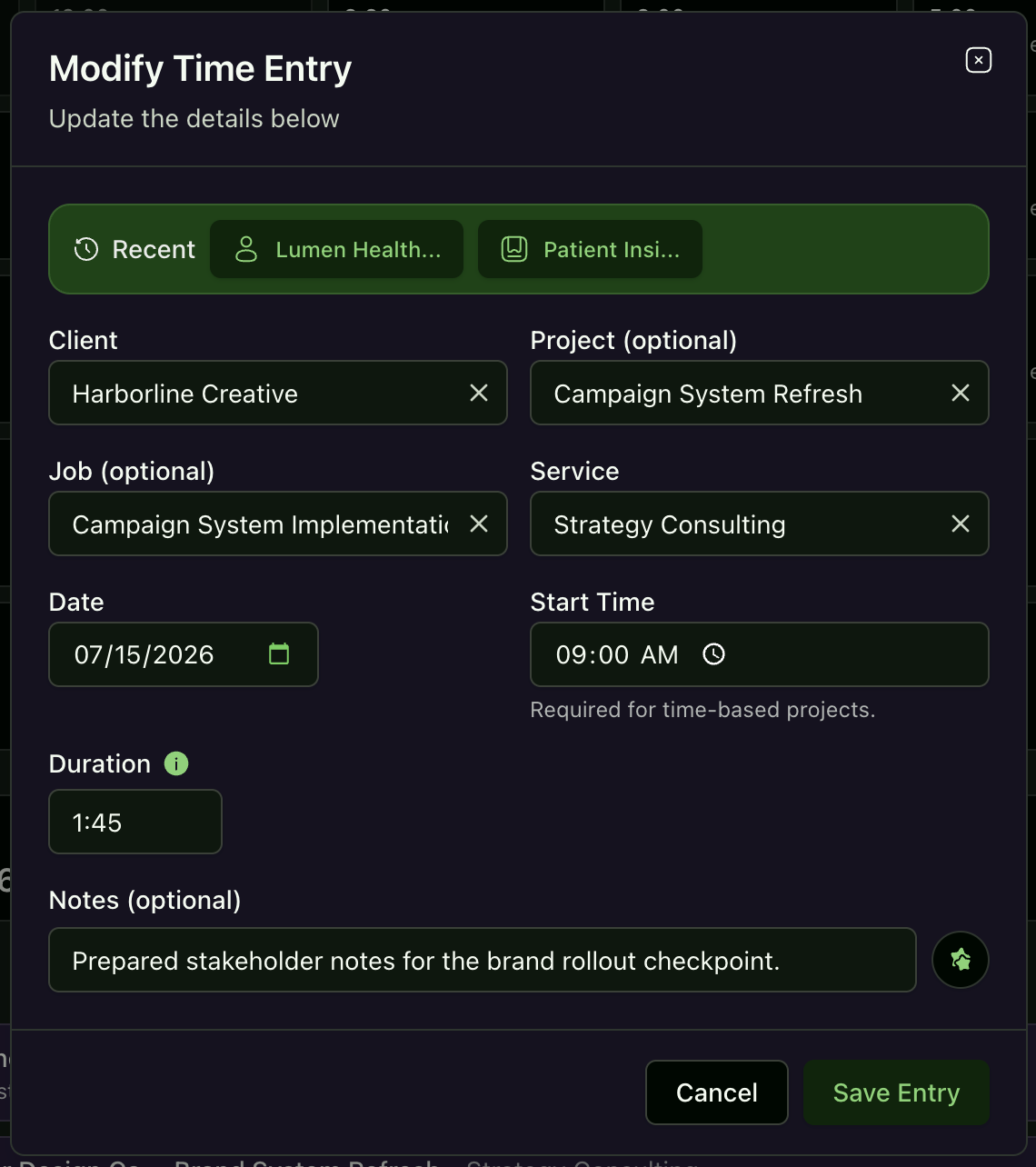
Timers, manual time entries, and expenses can be associated with the Job as delivery happens.
Mark the Job complete to turn the connected work record into the next billing step.
Practical payoff
Jobs do not automate the professional service itself. They automate the context handoff around it—the repetitive part that creates missed charges and delayed invoices.
Accepted work becomes the starting point for delivery records instead of a document someone has to interpret again later.
Time and expenses have a clear place to land while the Job is active, when the work is still fresh.
Completing the Job generates the invoice rather than leaving billing as an undefined follow-up task.
Honest boundary
Jobs organize billable work around the estimate-to-invoice lifecycle. They do not try to manage every delivery task, sprint, dependency, resource schedule, or client milestone.
Questions and answers
Specific answers about where this feature helps and where human judgment still matters.
A Job connects approved client work to delivery and billing. It can be created when an estimate is accepted, collect related time and expenses, and generate the invoice with estimate context (fixed time, time & expenses, not-to-exceed amounts) when marked complete.
Yes. Estimates can be configured so acceptance creates a Job. Depending on the estimate settings, acceptance may also create and send a deposit invoice.
A Job can remain in a waiting-for-deposit state until the deposit requirement is settled, helping the team distinguish approved work from work that is ready to begin.
Yes. Timers, manual time entries, and expenses can be associated with a Job so the billing record develops alongside the work.
Completing a Job generates the invoice. Issuance, delivery, approval, and automation behavior depend on your document settings, permissions, workflow, and plan.
No. Jobs focuses on the billing lifecycle around accepted work. Use your delivery tools for tasks, sprints, dependencies, creative review, implementation plans, and capacity management.
More friction to remove
Every plan starts with a 90-day trial (no credit card required). Prices exclude applicable taxes.
Core time tracking and invoicing for solopreneurs and small teams.
Welcome Savings
USD per organization · Includes plan seats
Monthly billing
$2.50 /month
First 6 paid months after trial, then the standard price of $5/month.
Annual billing
$22.50 /year
First paid year after trial, then the standard price of $45/year. Billed annually.
Subscribe by December 31, 2026 to use your automatically attached coupon. Keep your remaining trial days; the discount starts after your trial ends.
Advanced invoicing, expenses, automation, and expanded capacity.
Welcome Savings
USD per organization · Includes plan seats
Monthly billing
$7.50 /month
First 6 paid months after trial, then the standard price of $15/month.
Annual billing
$67.50 /year
First paid year after trial, then the standard price of $135/year. Billed annually.
Subscribe by December 31, 2026 to use your automatically attached coupon. Keep your remaining trial days; the discount starts after your trial ends.
Top-tier customization, reporting, team capacity, and AI receipt automation.
Welcome Savings
USD per organization · Includes plan seats
Monthly billing
$25 /month
First 6 paid months after trial, then the standard price of $50/month.
Annual billing
$225 /year
First paid year after trial, then the standard price of $450/year. Billed annually.
Subscribe by December 31, 2026 to use your automatically attached coupon. Keep your remaining trial days; the discount starts after your trial ends.
Start with a 90-day trial
Let the estimate, time, expenses, and final invoice stay connected through the Job.