
Vague invoice descriptions
Use services, project context, time detail, custom line items, and notes to explain what the client is paying for.
Invoicing for independent consultants
Manage estimates, billable time, project expenses, and client invoices without paying for features your consulting practice does not need. Present the work clearly whether you bill hourly, daily, by project, or through an ongoing engagement.
No signup required
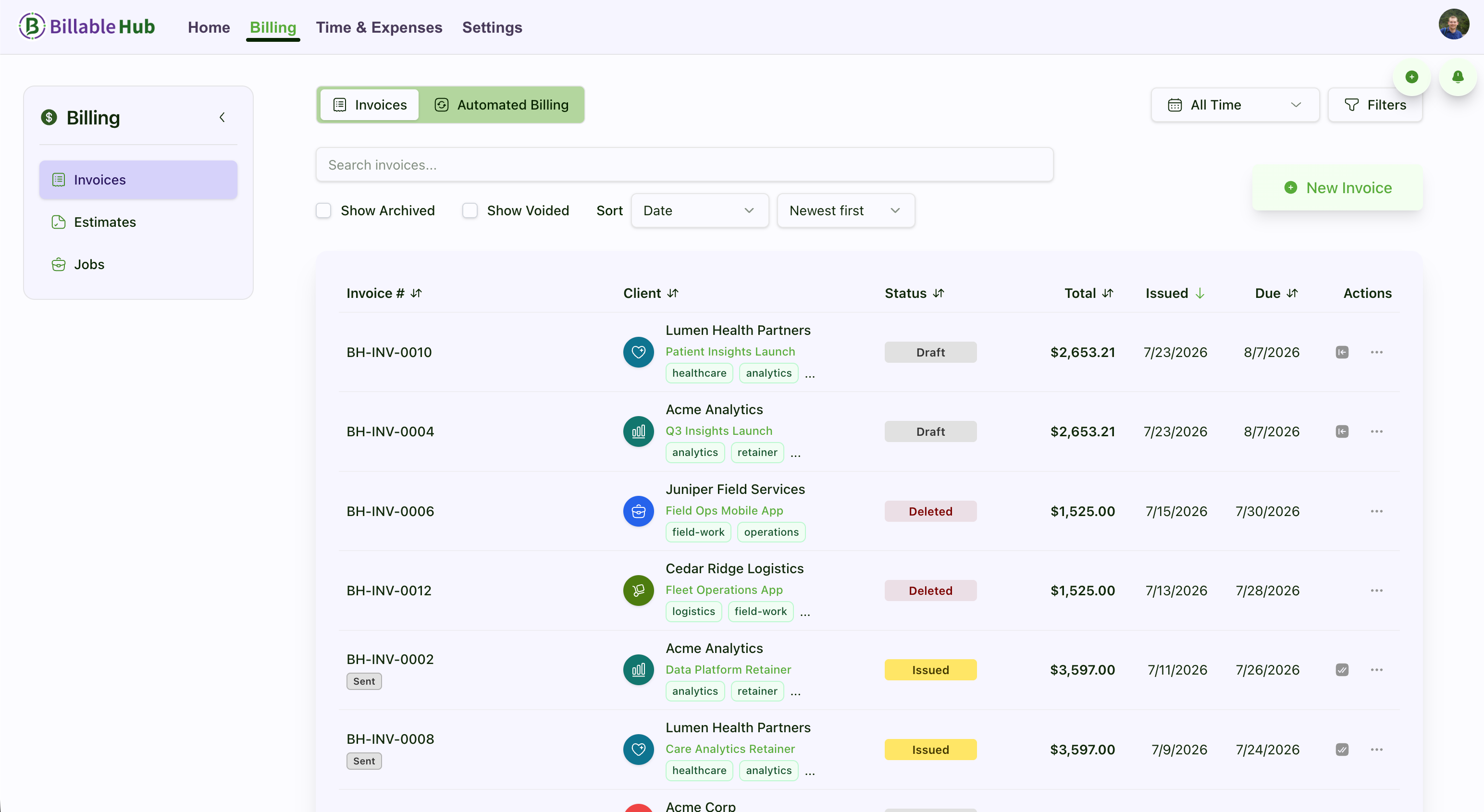
Connected billing flow
Essentials plan
Billable Hub is invoicing and time-tracking software for independent consultants and fractional advisers. Essentials has a standard price of $5 per month or $45 per year (USD per organization) and includes two seats, 10 active clients, 25 active projects, time tracking, estimates, invoices, and secure client access.
Start with a 90-day trial—no credit card required.
See full pricing and welcome savingsAfter the trial, Welcome Savings reduces the price to $2.50/month for the first 6 paid months or $22.50 for the first paid year. Standard prices apply after that. Sign up for a subscription by December 31, 2026 to use your automatically attached Welcome Savings coupon. Keep your remaining trial days; the discount applies when paid billing begins. Starting a trial alone does not activate the coupon. The offer covers base plans, add-ons, and additional paid seats.
Protect the professional experience
Consulting value can be difficult to summarize after the fact. A connected estimate, work record, expense trail, and invoice helps the client understand the commercial side of the engagement without adding administrative weight to your practice.
Use services, project context, time detail, custom line items, and notes to explain what the client is paying for.
Handle hourly work, daily fees, fixed projects, and ongoing advisory services without rebuilding the workflow.
Use professional reminders and a visible document history so follow-up is consistent and grounded in the account record.
Estimate to payment
Keep the administration proportionate to the engagement while preserving the detail clients need for review and approval.
Create an estimate with services, fees, taxes, discounts, payment terms, and an optional deposit.
Let the client accept, decline, ask questions, or request a revision and retain the response history.
Track billable time and engagement expenses against the correct client, project, or job.
Create a polished invoice from the approved scope and recorded work, with clear notes and terms.
Track document activity, record payments received elsewhere, and follow up on the outstanding balance.
Practical capabilities
Spend your software budget on the workflow you use repeatedly: agreeing on the work, recording what is billable, invoicing, and following up.
Set out services, fees, tax, discounts, deposit requirements, terms, and notes in a professional document.
Use a live timer or manual entry and keep time connected to the relevant client engagement.
Capture travel, research, vendor, or implementation costs with receipts and invoice-impact details.
Apply billing profiles, logos, themes, terms, footers, and client notes across invoices and estimates.
Keep estimate questions, revision requests, decisions, and invoice disputes attached to the right document.
See open balances, payment activity, revenue, time, expenses, and project reporting without importing bank transactions.
Feature availability varies by plan and add-on. Compare plans .
Consulting billing models
Represent the commercial agreement in a way the client recognizes, then keep the supporting detail available when review or follow-up is needed.
Track time throughout the engagement and create invoice detail from the billable entries.
Use services or custom line items for day rates, workshops, assessments, phases, or project fees.
Use recurring billing profiles for predictable invoices and keep additional time or expenses connected to the client.
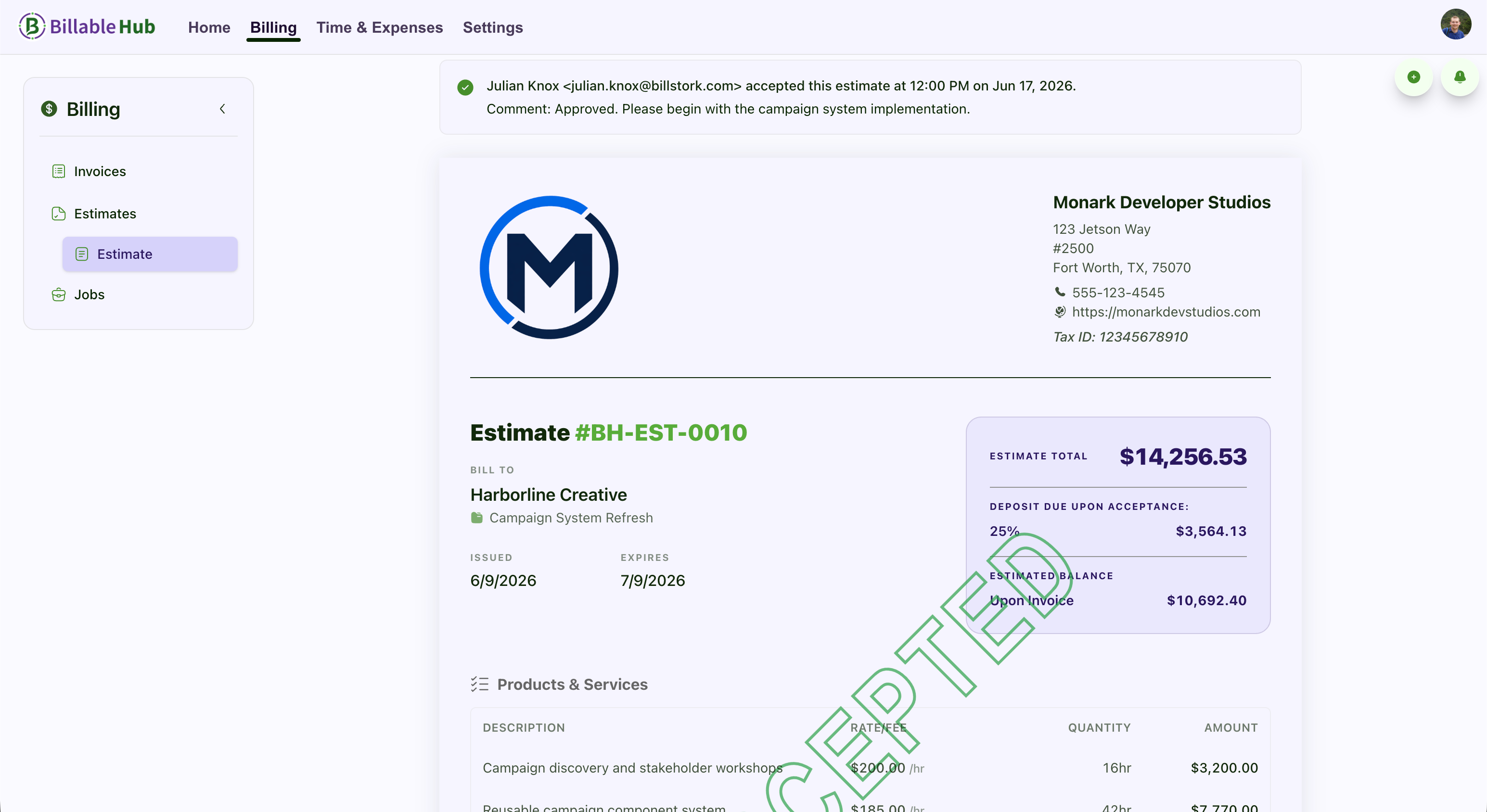
Client-ready detail
Choose how much context to include through service names, line-item descriptions, time summaries, project references, notes, and terms. The result is a document the client can route for approval without exposing your entire working process.
Clear product boundary
Billable Hub focuses on the records that connect a consulting engagement to its invoice and receivables. Continue using dedicated accounting, tax, banking, and practice-management tools where they are needed.
Questions and answers
Straight answers about how Billable Hub fits this billing workflow.
Yes. Use tracked time for hourly work, services or custom line items for day rates and workshops, and accepted estimates or jobs for fixed-scope projects.
Yes. Recurring billing profiles can create drafts or automatically issue and send invoices, depending on your settings and plan. Additional billable time or expenses can remain connected to the client engagement.
Yes. Expense entries can include vendor, category, receipt, currency, and invoice-impact information, giving you a structured record before costs are added to an invoice.
Billable Hub includes built-in invoice and estimate themes, billing profiles for organization identity and logos, document previews, payment terms, notes, footers, and PDF exports.
Yes. You can track invoice delivery and views, use reminder notifications and late-fee policies, and review a history of payment and balance changes. Accept credit and debit card payments online via Stripe. Billable Hub adds no fees; Stripe processing fees apply. You can also record payments received elsewhere.
No. Billable Hub does not currently connect to bank accounts, import bank transactions, or serve as a general ledger. It focuses on estimates, billable work, expenses, invoices, receivables, client access, and billing records.
More service-business workflows
Hourly, fixed-price, and time-and-expense billing for client development work.
A connected billing workflow for small IT, implementation, and software consultancies.
Estimates, team time, expenses, approvals, and client invoices for small agencies.
Every plan starts with a 90-day trial (no credit card required). Prices exclude applicable taxes.
Core time tracking and invoicing for solopreneurs and small teams.
Welcome Savings
USD per organization · Includes plan seats
Monthly billing
$2.50 /month
First 6 paid months after trial, then the standard price of $5/month.
Annual billing
$22.50 /year
First paid year after trial, then the standard price of $45/year. Billed annually.
Subscribe by December 31, 2026 to use your automatically attached coupon. Keep your remaining trial days; the discount starts after your trial ends.
Advanced invoicing, expenses, automation, and expanded capacity.
Welcome Savings
USD per organization · Includes plan seats
Monthly billing
$7.50 /month
First 6 paid months after trial, then the standard price of $15/month.
Annual billing
$67.50 /year
First paid year after trial, then the standard price of $135/year. Billed annually.
Subscribe by December 31, 2026 to use your automatically attached coupon. Keep your remaining trial days; the discount starts after your trial ends.
Top-tier customization, reporting, team capacity, and AI receipt automation.
Welcome Savings
USD per organization · Includes plan seats
Monthly billing
$25 /month
First 6 paid months after trial, then the standard price of $50/month.
Annual billing
$225 /year
First paid year after trial, then the standard price of $450/year. Billed annually.
Subscribe by December 31, 2026 to use your automatically attached coupon. Keep your remaining trial days; the discount starts after your trial ends.
Start with a 90-day trial
Create the estimate, record the billable work, send a professional invoice, and follow through with confidence.
No credit card required. Feature availability varies by plan.