
Scattered team activity
Keep time and expenses associated with the correct client, project, job, service, and team member.
Invoicing for consultancy firms
Give consultants a simple way to record client work while keeping estimates, project rates, expenses, approvals, invoices, and receivables visible to the people responsible for billing.
No signup required
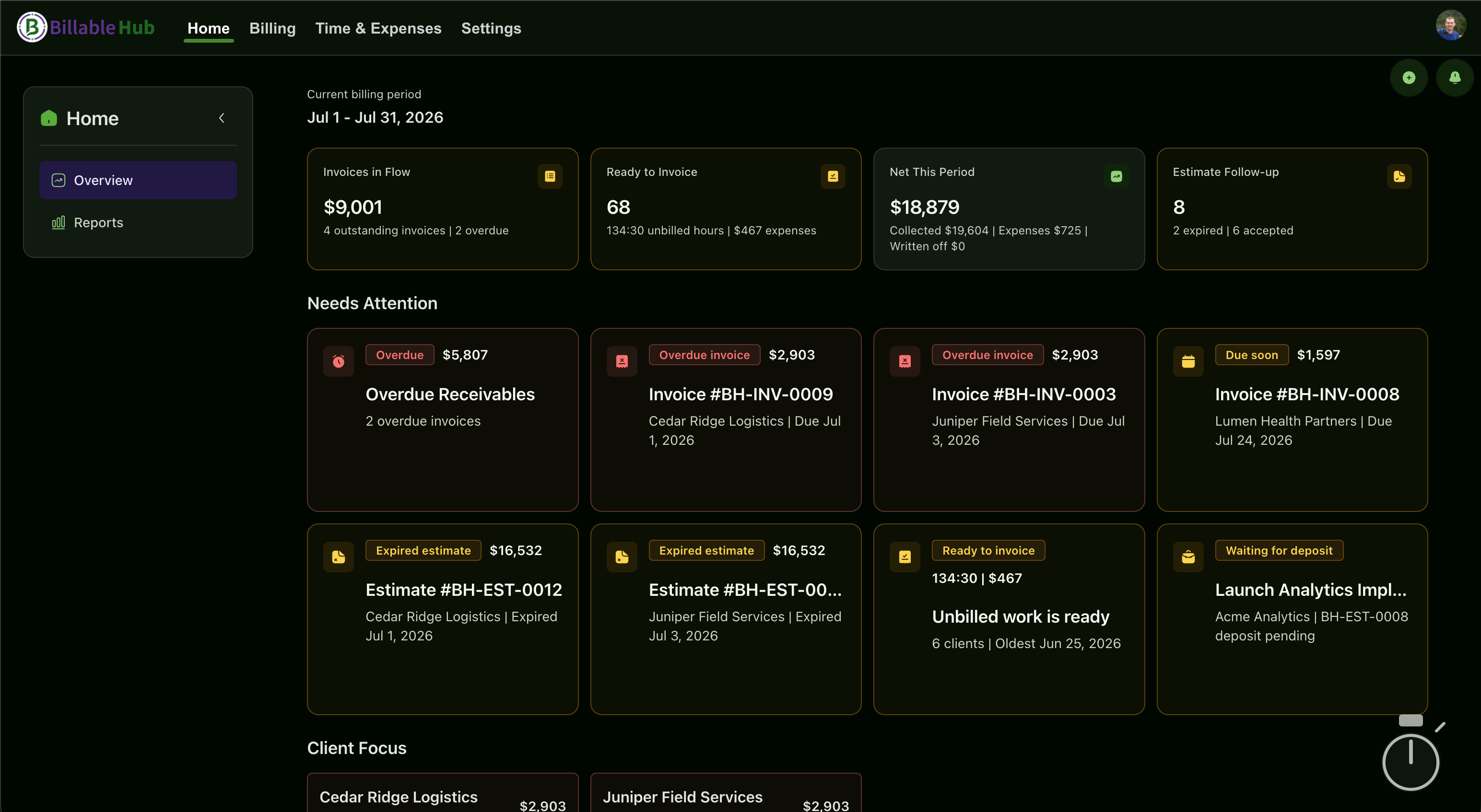
Connected billing flow
Essentials plan
Billable Hub is invoicing and time-tracking software for small IT, implementation, and software consultancy teams. Essentials has a standard price of $5 per month or $45 per year (USD per organization) and includes two seats, 10 active clients, 25 active projects, time tracking, estimates, invoices, and secure client access.
Start with a 90-day trial—no credit card required.
See full pricing and welcome savingsAfter the trial, Welcome Savings reduces the price to $2.50/month for the first 6 paid months or $22.50 for the first paid year. Standard prices apply after that. Sign up for a subscription by December 31, 2026 to use your automatically attached Welcome Savings coupon. Keep your remaining trial days; the discount applies when paid billing begins. Starting a trial alone does not activate the coupon. The offer covers base plans, add-ons, and additional paid seats.
Control without overhead
Consultancy billing gets harder as soon as more than one person delivers the work. Billable Hub helps small firms standardize the handoff from consultant activity to client billing without adopting a heavyweight professional-services platform.
Keep time and expenses associated with the correct client, project, job, service, and team member.
Use service pricing and project-level rate overrides to reflect how a particular engagement is sold.
Surface work ready to invoice and add internal approvals when a document or finance action needs review.
Estimate to payment
Keep each stage connected so the person preparing the invoice can see what was agreed, what was delivered, and what still needs attention.
Create an estimate with services, tax, discounts, deposits, payment terms, and client-facing notes.
Send the estimate for client review and preserve questions, decisions, signer details, and revisions.
Have consultants record time and expenses against the appropriate client engagement.
Use roles and optional approval workflows to control who can issue documents or make sensitive changes.
Send the invoice, track document activity, record outside payments, and follow up on open balances.
Practical capabilities
Billable Hub supports repeatable billing operations while remaining approachable for a very small software, IT, or implementation consultancy.
Organize active work with client billing profiles, project settings, accepted jobs, terms, and service-rate overrides.
Record consultant time against the work and filter reporting by user, client, project, and date.
Capture receipts and reimbursable costs with vendor, category, currency, and invoice-impact details.
Control permissions and route estimates, invoices, or selected finance actions through a documented approval path.
See receivables, work ready to invoice, estimate follow-up, and focused reports for time, revenue, expenses, and projects.
Use recurring billing, notification templates, scheduled reports, reminders, and automation when your plan includes them.
Feature availability varies by plan and add-on. Compare plans .
Engagement flexibility
Different clients may need different commercial structures. Keep each arrangement clear without forcing the whole firm into one billing model.
Track consultant time and turn approved billable entries into clear invoice detail.
Estimate the engagement, collect client acceptance, and carry the approved scope into jobs and invoices.
Use recurring billing profiles and project settings for predictable advisory, support, or implementation work.
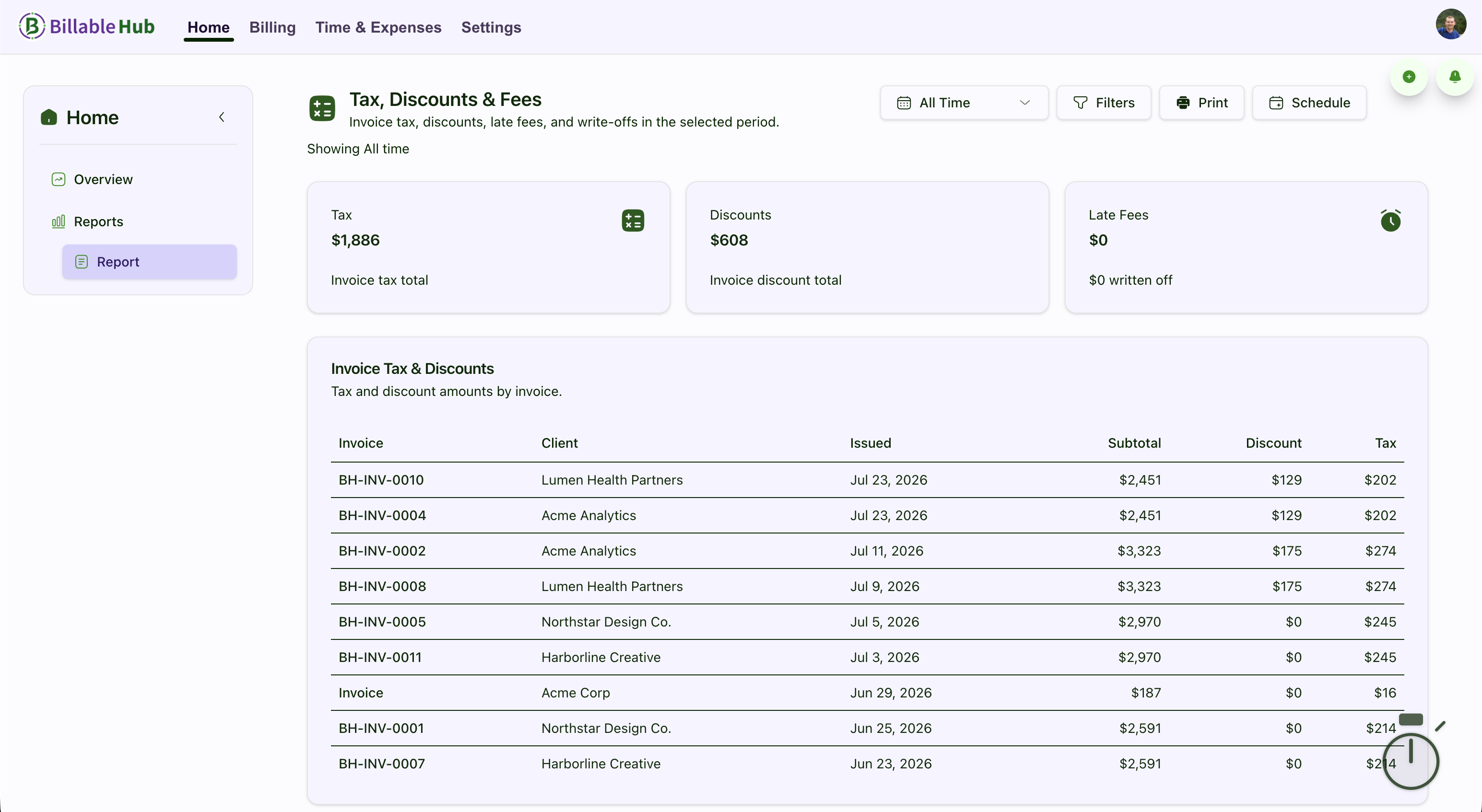
Client-ready detail
Consultants can record activity as they work, while owners or billing leads retain visibility into what is ready, what requires approval, and what remains unpaid. Document history and audit logs keep important actions reviewable.
Clear product boundary
Billable Hub manages the financial workflow around client delivery. It is not positioned as a complete CRM, resource-planning, delivery-management, payroll, or bookkeeping suite.
Questions and answers
Straight answers about how Billable Hub fits this billing workflow.
Yes. Plans support solo users and small teams, with included users and optional additional seats. The workflow is designed for service businesses that need connected estimates, work records, invoices, and receivables without a large operations platform.
Yes. Billable Hub supports services and project-level service-rate overrides when that feature is included in the selected plan or added separately.
Yes. Approval workflows can protect estimates, invoices, and selected client-ledger finance actions. Requests keep a decision history and become stale if the underlying document changes before approval.
Yes. Time and expenses can be associated with the same client project or job, then used to prepare the invoice. Reports can also be filtered by user, client, project, and date.
Yes. It fits firms that quote implementation or technical work, record consultant effort and reimbursable costs, and need client-ready invoices with a documented approval and follow-up process.
No. Billable Hub focuses on the estimate-to-invoice workflow and the related billing record. It does not currently import bank transactions or replace CRM, task management, payroll, or a general ledger.
More service-business workflows
Hourly, fixed-price, and time-and-expense billing for client development work.
Estimates, team time, expenses, approvals, and client invoices for small agencies.
Professional estimates and invoices for solo consultants and fractional advisers.
Every plan starts with a 90-day trial (no credit card required). Prices exclude applicable taxes.
Core time tracking and invoicing for solopreneurs and small teams.
Welcome Savings
USD per organization · Includes plan seats
Monthly billing
$2.50 /month
First 6 paid months after trial, then the standard price of $5/month.
Annual billing
$22.50 /year
First paid year after trial, then the standard price of $45/year. Billed annually.
Subscribe by December 31, 2026 to use your automatically attached coupon. Keep your remaining trial days; the discount starts after your trial ends.
Advanced invoicing, expenses, automation, and expanded capacity.
Welcome Savings
USD per organization · Includes plan seats
Monthly billing
$7.50 /month
First 6 paid months after trial, then the standard price of $15/month.
Annual billing
$67.50 /year
First paid year after trial, then the standard price of $135/year. Billed annually.
Subscribe by December 31, 2026 to use your automatically attached coupon. Keep your remaining trial days; the discount starts after your trial ends.
Top-tier customization, reporting, team capacity, and AI receipt automation.
Welcome Savings
USD per organization · Includes plan seats
Monthly billing
$25 /month
First 6 paid months after trial, then the standard price of $50/month.
Annual billing
$225 /year
First paid year after trial, then the standard price of $450/year. Billed annually.
Subscribe by December 31, 2026 to use your automatically attached coupon. Keep your remaining trial days; the discount starts after your trial ends.
Start with a 90-day trial
Connect the estimate, the work record, the invoice, and the follow-up in one focused workspace.
No credit card required. Feature availability varies by plan.